The Homework
Helper.
Stoodoo is the after-school study buddy for your child — and the calm in your evening. Upload their homework or let Stoodoo generate practice that fits their grade. We read with them, we drill with them, we check their work, and we keep the whole week organized.
- One place for everything — spelling, reading, math, tests, agenda & calendar.
- Snap or upload any worksheet — Stoodoo reads it, drills on it, or grades it.
- Built for two languages. English and French — translate, study, and answer.
- You stay in control. One parent account · multiple kids · supervised use.
Welcome — let's get started.
Enter your email below and we'll send you a one-tap sign-in link. New here? The same link creates your parent account.
Used by parents at home for homework, dictées, reading, math facts, tests and more — across English & French.
Check your inbox
We just sent a sign-in link to
—
Click the link in the email to sign in. The link expires in 15 minutes.
Three jobs, one quiet evening.
Stoodoo plays three roles every weekday — the patient practice partner, the organizer that catches every homework note, and the gentle reporter that tells you how it's going.
Practice that fits.
Word lists, reading, math drills, numbers, tests, and study sessions — all read aloud, scored, and explained. Upload what the teacher gave, or let Stoodoo pick.
Homework, organized.
Email, agenda photo, looseleaf, the school app — forward it all to Stoodoo. We sort it, slot it into the calendar, and ping you when it's due.
Progress you can see.
Every session, every word, every drill is logged. Open Progress to see what your child practiced this week, where they're strong, and where to slow down.
Two steps. That's the whole thing.
Upload the homework, or practice with Stoodoo
Drop in the worksheet, forward the email, or let Stoodoo pick age-appropriate practice. It all lands in one place.
Hand it to your child
They press Start Practicing. Stoodoo reads, drills, corrects, and logs every session for you.
Seven activities, endless practice.
Everything below lives inside one screen — the Practice Hub. Pick an activity, hand the tablet to your child, and step away.

Words read out loud — just like the teacher.
Upload the spelling list the teacher sent home, or let Stoodoo pick age-appropriate words and sentences. Your child can read along first, then test themselves: Stoodoo says the word, the child types it, and Stoodoo corrects them just like in the classroom.
- AUpload the school list — photo, file, paste, or voice. Stoodoo cleans it up.
- BOr Stoodoo picks — words and sample sentences tuned to the child's grade.
- CRead along, then test — kids choose to hear & read first, or jump straight in.
- DInstant correction — wrong spellings show the right one underneath, in red.
Reading that listens back.
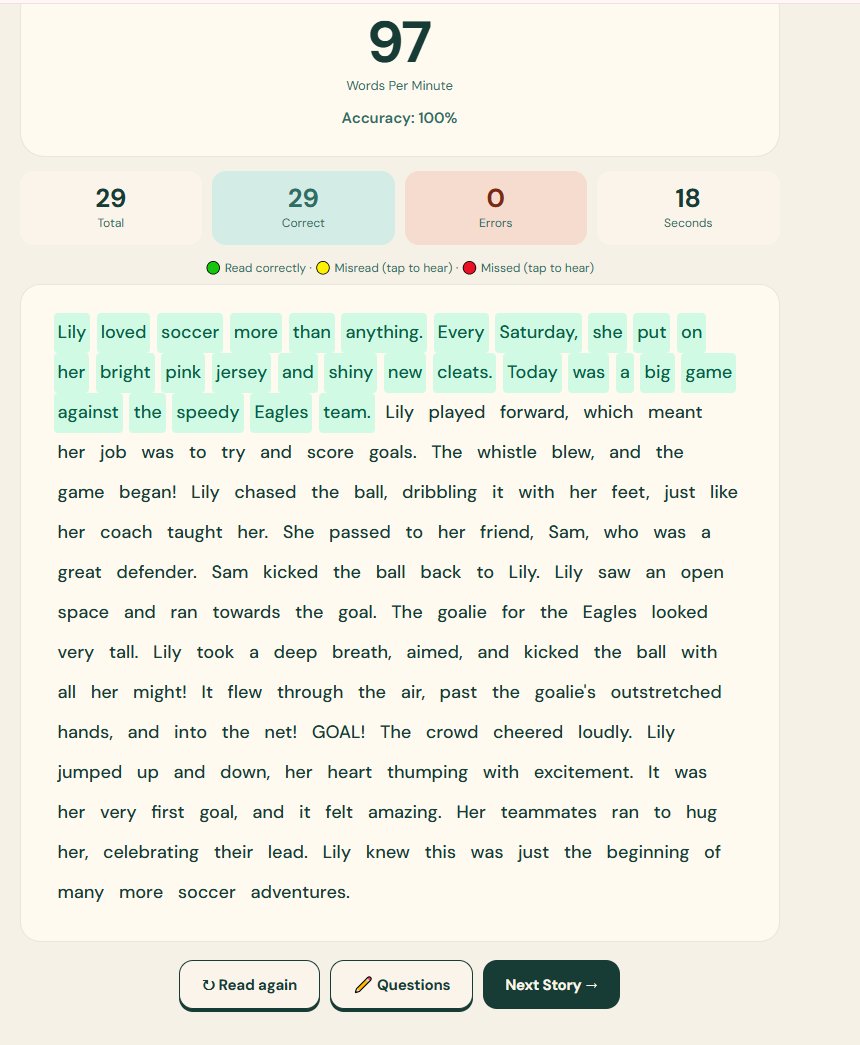
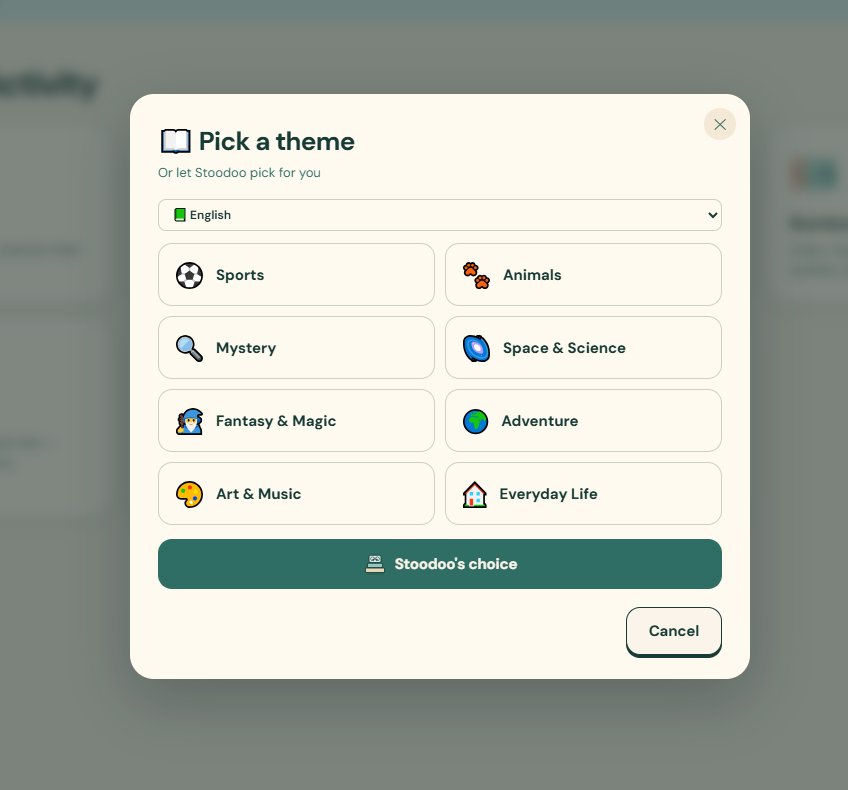
Upload the passage the teacher gave for homework, or pick a theme and Stoodoo will generate a passage at your child's level. Then the magic: Stoodoo reads with your child, highlights each word as it goes, scores accuracy & fluency, and offers comprehension questions at the end.
- AUpload or generate — bring the teacher's text, or pick from themes: Sports, Mystery, Space, Fantasy, Adventure, Art & Music, Everyday Life.
- BLive highlighting — green for read correctly, yellow for misread, red for skipped.
- CStoodoo can read first — kids hear the passage modeled before they try.
- DComprehension on tap — one tap turns the passage into questions.
Drills, the calm kind.
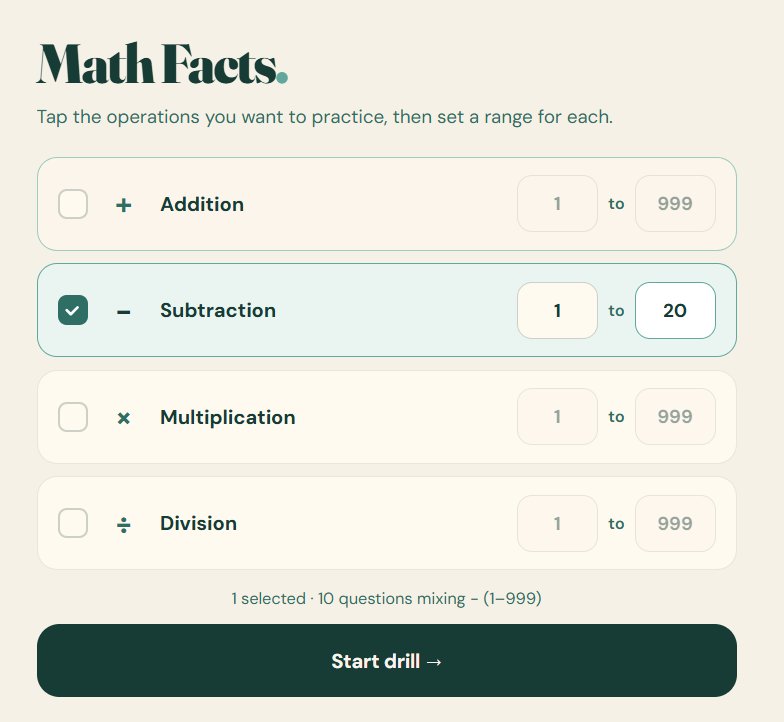
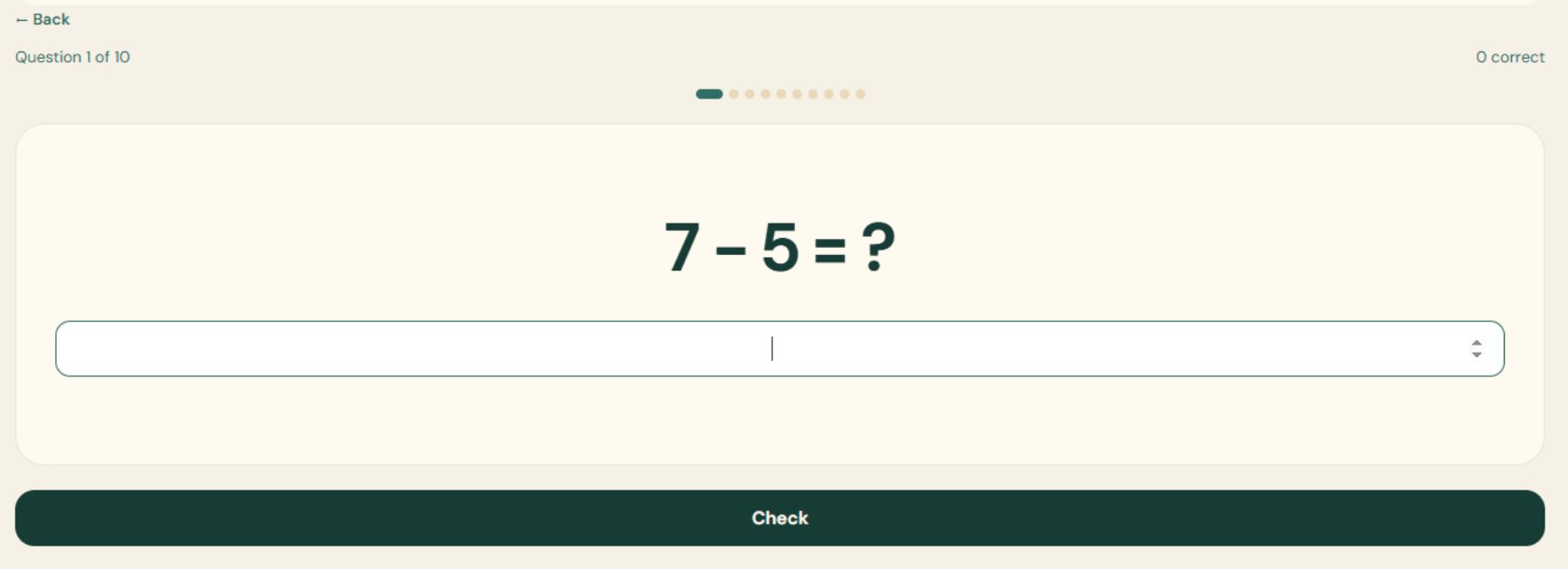
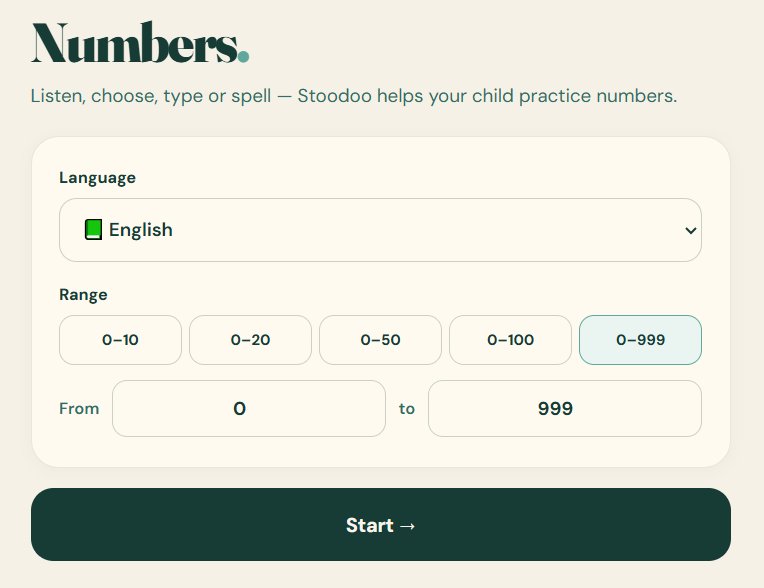
Pure math fact practice — addition, subtraction, multiplication, division. Tap the operations you want, set the number range, and Stoodoo serves up a clean drill: one question at a time, big numbers, no clutter.
- AMix & match — practice one operation or several together.
- BSet the range — pick any range that fits where your child is.
- CBig & quiet UI — no characters dancing, no animations, no distractions.
Number sense, three ways.
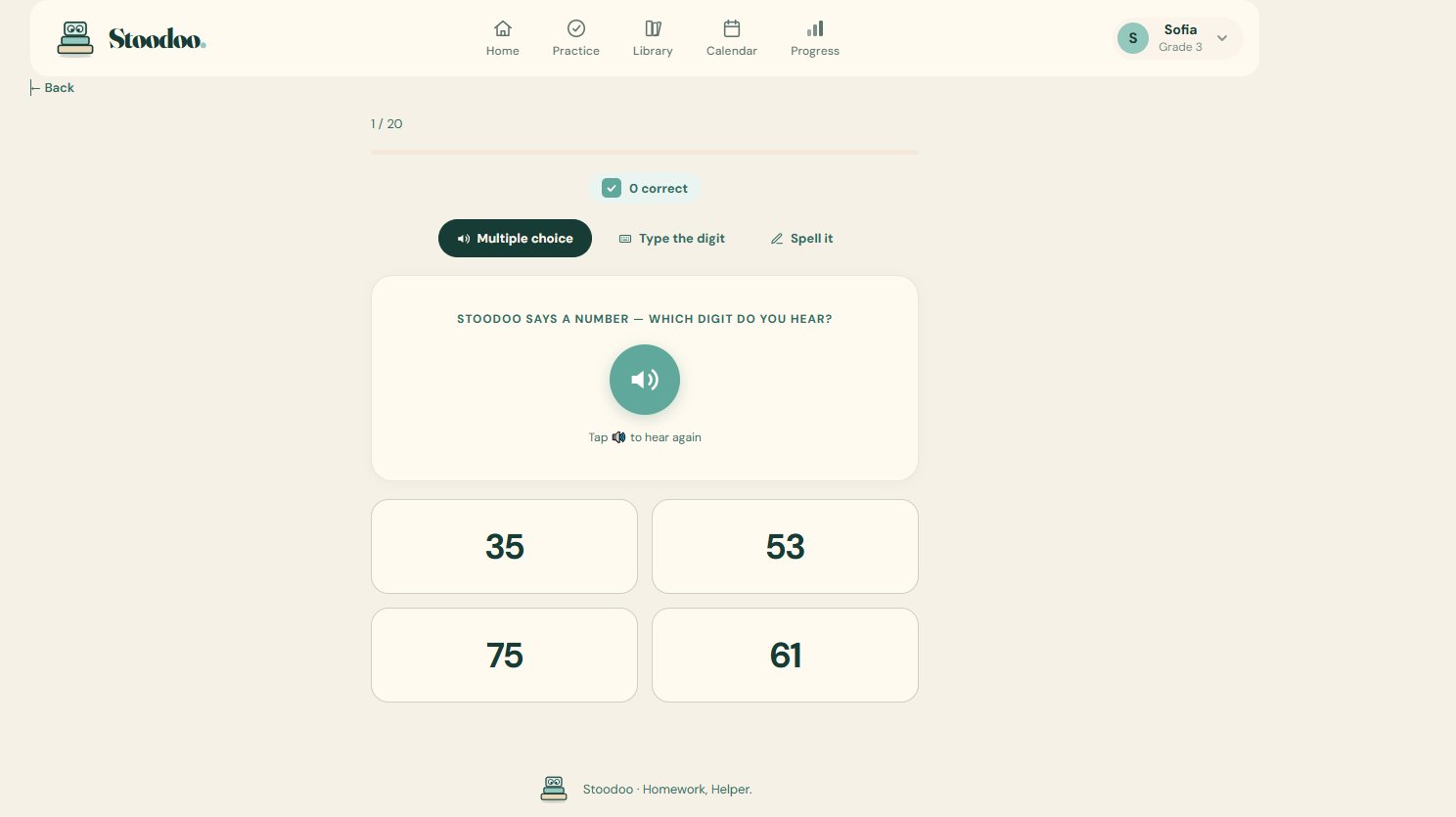
Building the basics for the youngest learners. Stoodoo says a number out loud and your child picks it from multiple choice, types the digit, or spells the number in words.
- AMultiple choice — hear, then tap the right number.
- BType the digit — hear, then write it.
- CSpell it out — hear "fifty-three" and write it in letters.
Turn any page into a test.
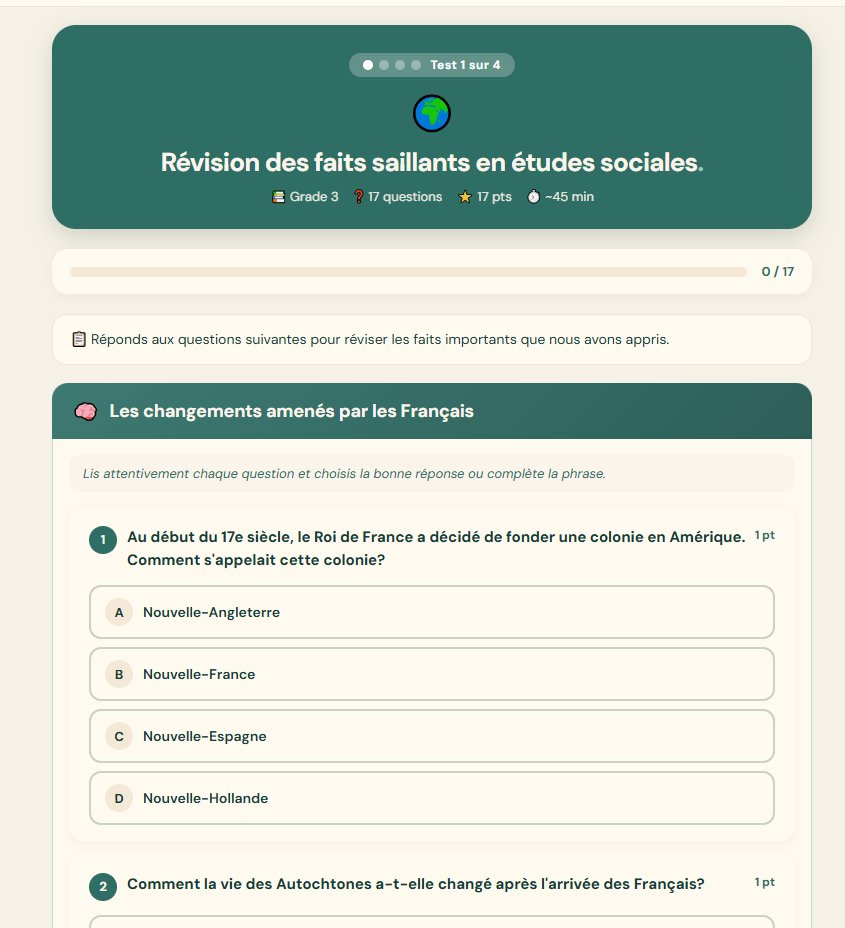
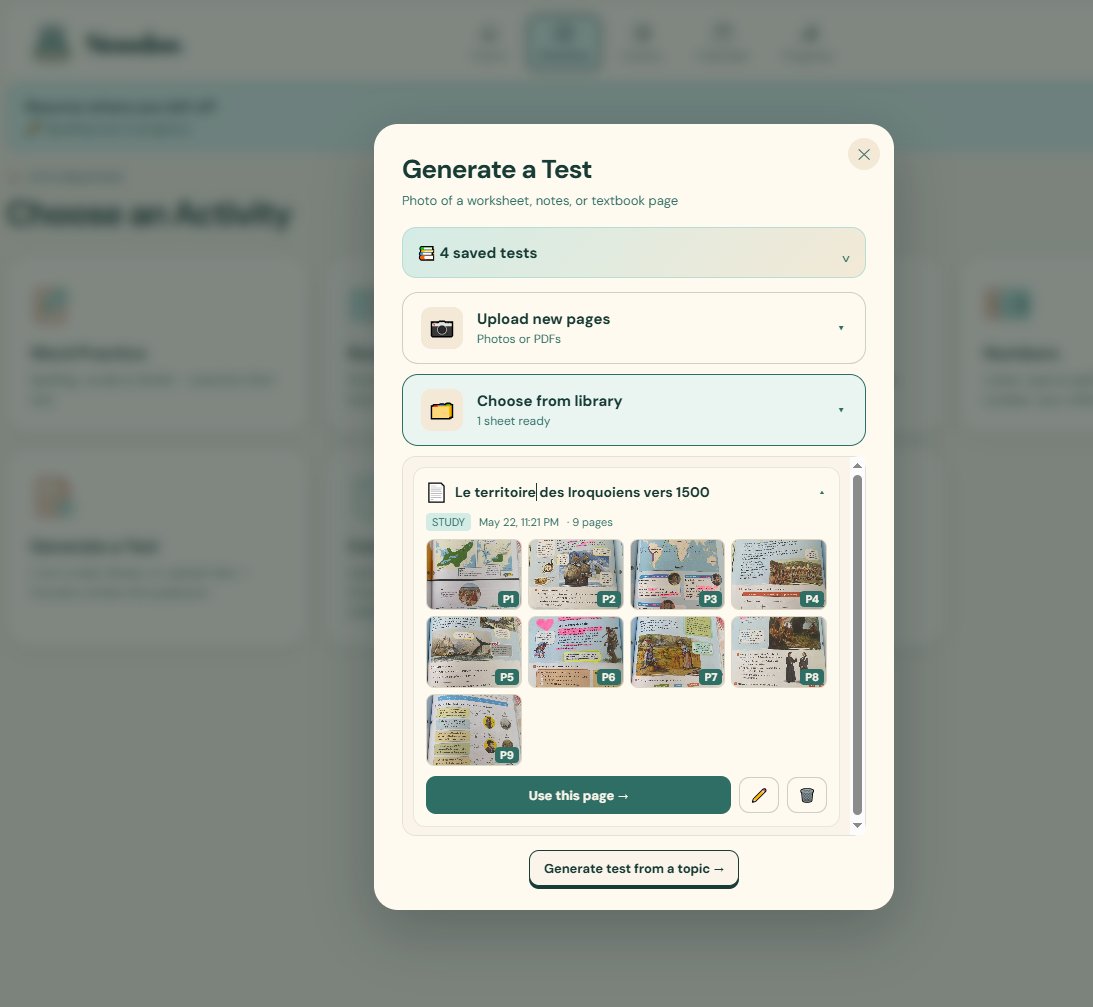
Upload your material — a textbook page, your child's notes, a worksheet — or just type the topic. Stoodoo generates a beautiful, kid-friendly test with multiple questions: multiple choice, short answer, fill-in. Highlighted certain sections in their social studies book? The test can be generated on the highlighted sections only.
- AFrom uploaded material — photos, PDFs, notes from the library.
- BFrom a topic — "Iroquois peoples around 1500" → a full review test.
- CFrom highlighted sections — only test what's marked important.
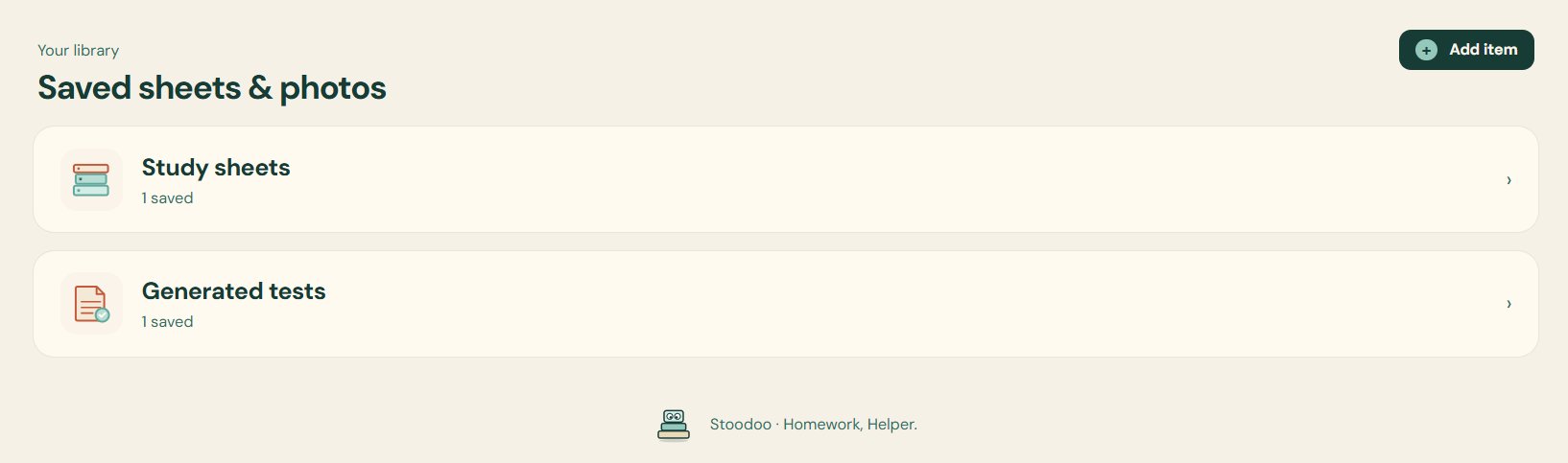
- DSaved & reusable — every generated test lives in your library.
No need to check the homework yourself.
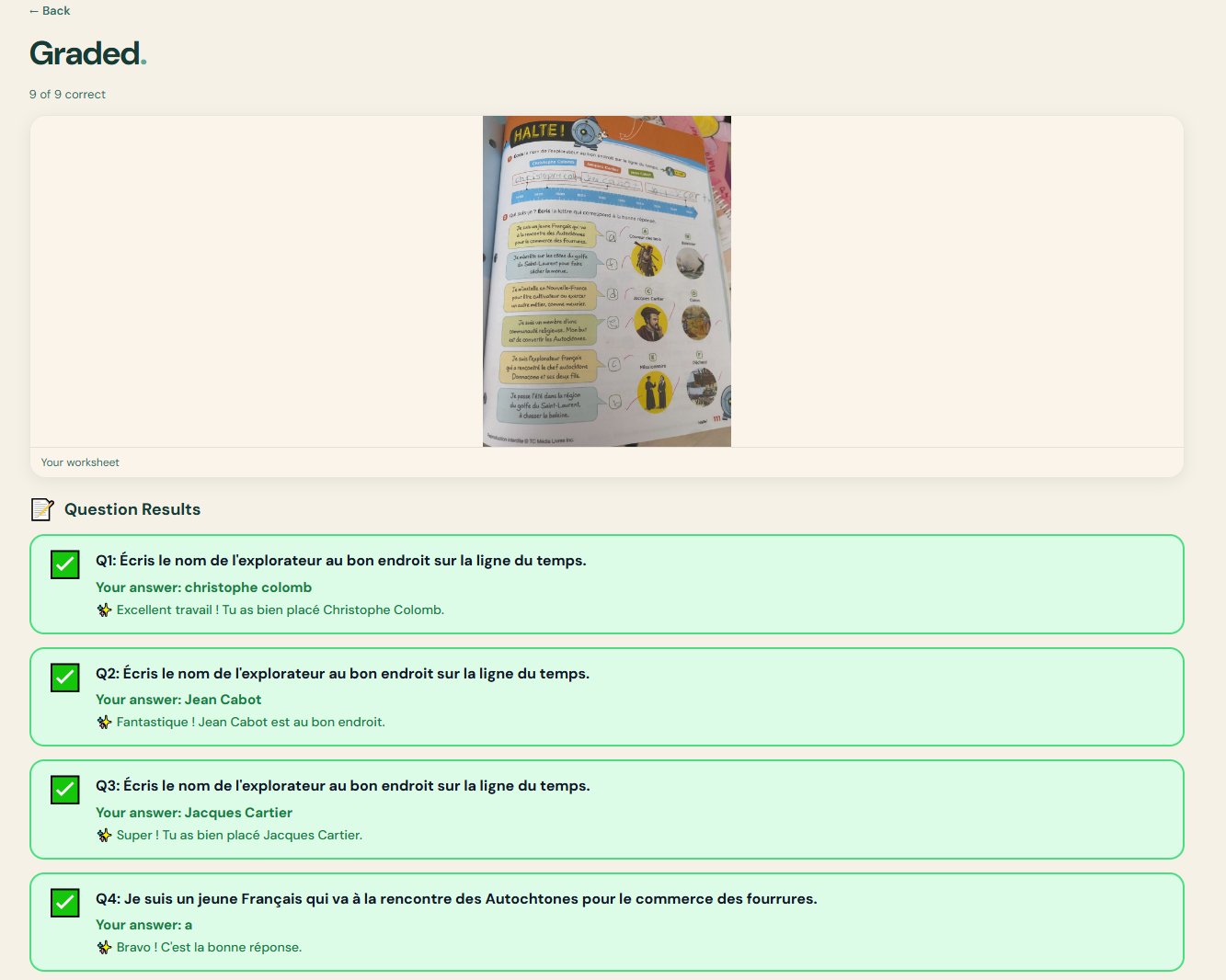
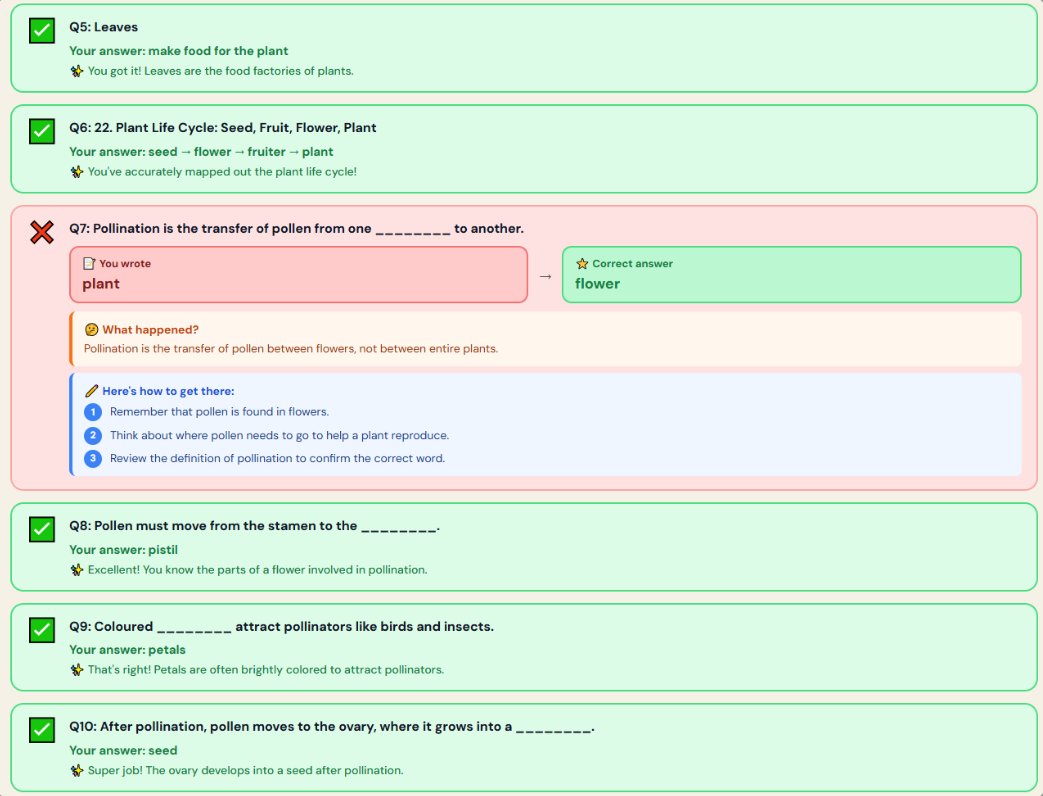
Your child finishes a worksheet. Snap a picture. Stoodoo reads what they wrote, scores every answer in real time, marks them green or red, and explains each one — in language a 3rd-grader can follow.
- AHandwriting & printed — both work. So do French and English.
- BEncouraging feedback — "Excellent travail!", "Fantastique!" — never harsh.
- CExplanations included — wrong answers come with a why, not just a red X.
A parent's voice — even when you're busy.
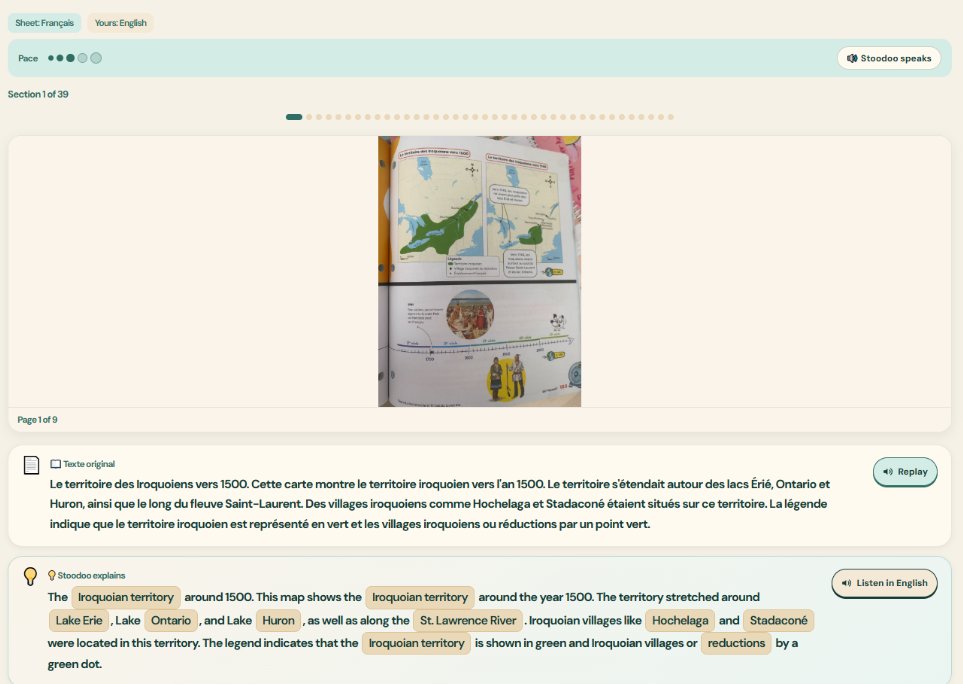
Stoodoo reads the study material out loud just like a parent would, paced for the child. The translation piece is the magic: if the textbook is in French and your child doesn't understand, they hear it in English, with the key words highlighted in both languages.
- AThree pace settings — calm, normal, or quick.
- BSide-by-side translation — original in French, "Stoodoo explains" in English (or the other way around).
- CKey terms pinned — Iroquoian territory, Lake Erie, Hochelaga — highlighted in both versions so vocab transfers.
- DReplay any line — pages broken into sections so kids can re-listen without scrubbing.
Send anything. We'll sort it.
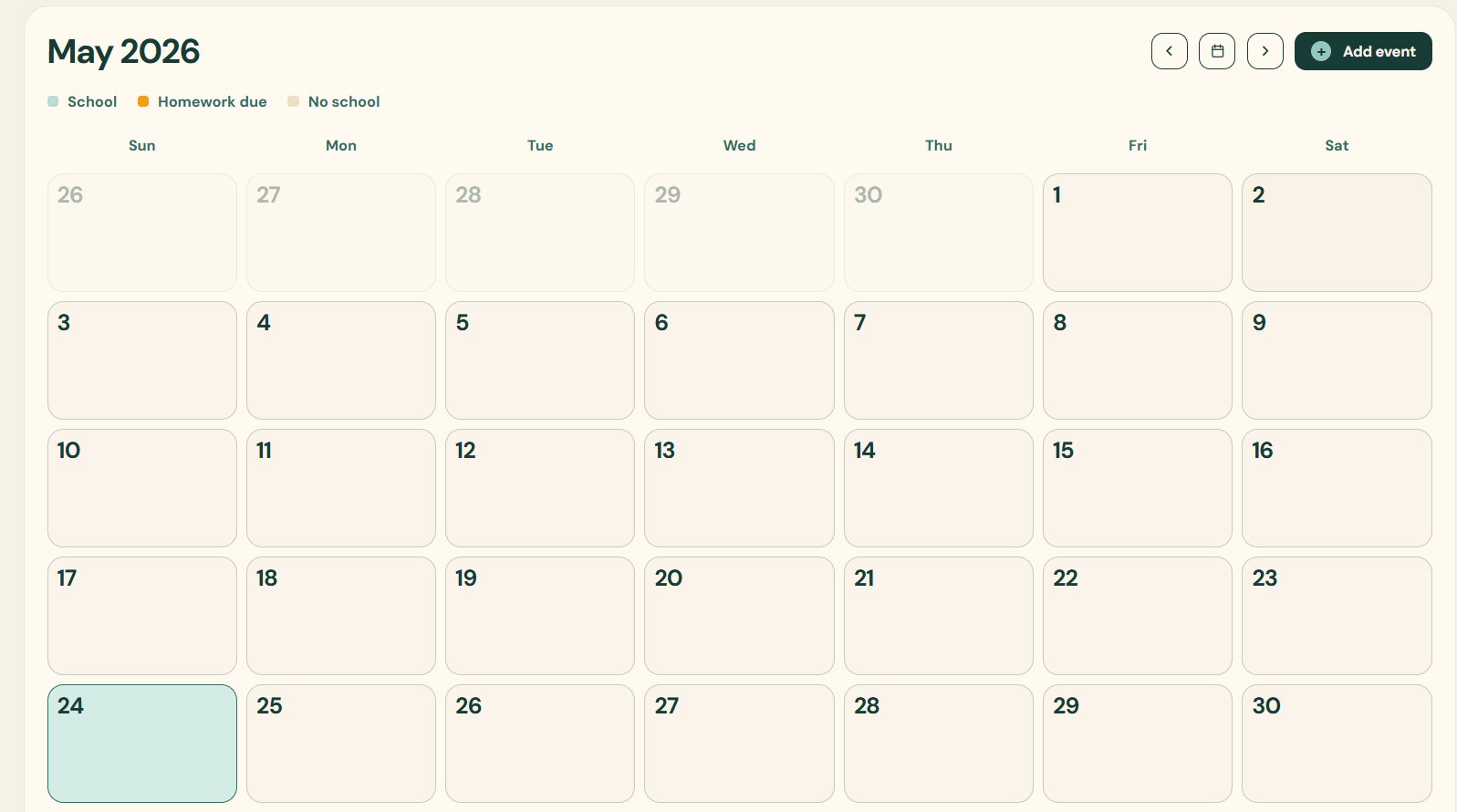
Homework arrives in 47 different formats. Stoodoo accepts them all and quietly puts them in one place — the calendar, with a due date and a subject tag.
- Forward an emailSchool newsletter, teacher reminder, weekly homework digest — forward to your Stoodoo inbox.
- Snap the agendaA photo of the agenda book, looseleaf, or whiteboard — Stoodoo reads the handwriting and books it.
- Type or paste"Dictée Liste 13 due Friday." Done. It's on the calendar.
- Upload the school calendarPD days, holidays, no-school days — overlaid on top of your homework view automatically.
You don't have to wonder how it went.
Stoodoo writes everything down so you don't have to ask "did you finish your spelling?" — you just check the tab.
The Progress tab.
One screen, one child, one week. See every session: minutes practiced, words mastered, fluency in WPM, math accuracy, tests scored. Tap any session to see the actual work — the words attempted, the questions answered, the photo of the worksheet.
- This-week / This-month / All-time views
- Per-child breakdown — switch between kids in two taps
- Strengths & areas to revisit, surfaced automatically
English & French.
Stoodoo is built for bilingual households. Spelling, reading, math, and tests all work the same way in English and French — including dictée for French spelling — with the same correction style, the same encouragement, and the same gentle voice. Need a French passage in English? Translate it in a tap.
- Per-language word banks (EN & FR) you can edit anytime
- Translate any French passage into English on the fly, with key terms pinned
- Encouragement in your child's language — "Bravo!" or "Way to go!"
Stoodoo is a study buddy — not a teacher.
We say this out loud because it matters. Here's how Stoodoo works, in plain terms, before you sign up.
It uses AI.
Which means it sometimes misreads handwriting, miscounts a math answer, or generates an imperfect question. Always review the work with your child.
A study buddy, not a teacher.
Stoodoo doesn't replace teachers, tutors, or the work you do at home. If your child is struggling, talk to their teacher first.
You're in charge.
You hold the account. You verify the work. You decide what gets practiced. Stoodoo works best with an adult close by.
A few quick answers.
What ages is Stoodoo for?
Built around Grades 1–6 (roughly ages 6–12). The Word, Reading, Math Facts and Numbers activities scale to your child's grade. Older kids tend to live in Generate a Test and Study with Stoodoo.
Can I add more than one child?
Yes — one parent account, multiple children. Switch in the top-right with one tap. Each child has their own progress, calendar, library and word banks.
Does it work in French?
Yes. Every activity — spelling, dictée, reading, math, tests, correct-my-work, study — works in English and French. Translate French passages to English (or back) with key terms highlighted in both.
What do I need to upload?
Anything you'd hand to a tutor: photos of worksheets or agenda pages, PDF textbook pages, the school's monthly calendar, a forwarded email from the teacher, a typed-out word list. Stoodoo reads it all.
How does Correct My Work handle handwriting?
It does its best, in printed or cursive, English or French. AI isn't perfect — if a letter looks unusual, Stoodoo may misread it. Always glance over the result with your child.
Do I need to install anything?
No. Stoodoo runs in the browser on a phone, tablet, or laptop. Sign in with the link we email you and you're in.
What about privacy?
Only upload homework — worksheets, spelling lists, study notes. Don't upload photos showing student IDs, medical info, home addresses, or anything you wouldn't share with a classmate. See our Privacy Policy for the full picture.
What does it cost?
The Pilot is free. Once we officially launch, you'll receive an email with the next steps and associated costs.
Practice builds confidence.
Sign in with your email below — we'll send a one-tap link. Add your child's grade, drop in the first homework, and Stoodoo takes it from there.
We'll mirror this into the sign-in form above. Check the consent box, then send.